The Byvoro Chrome extension
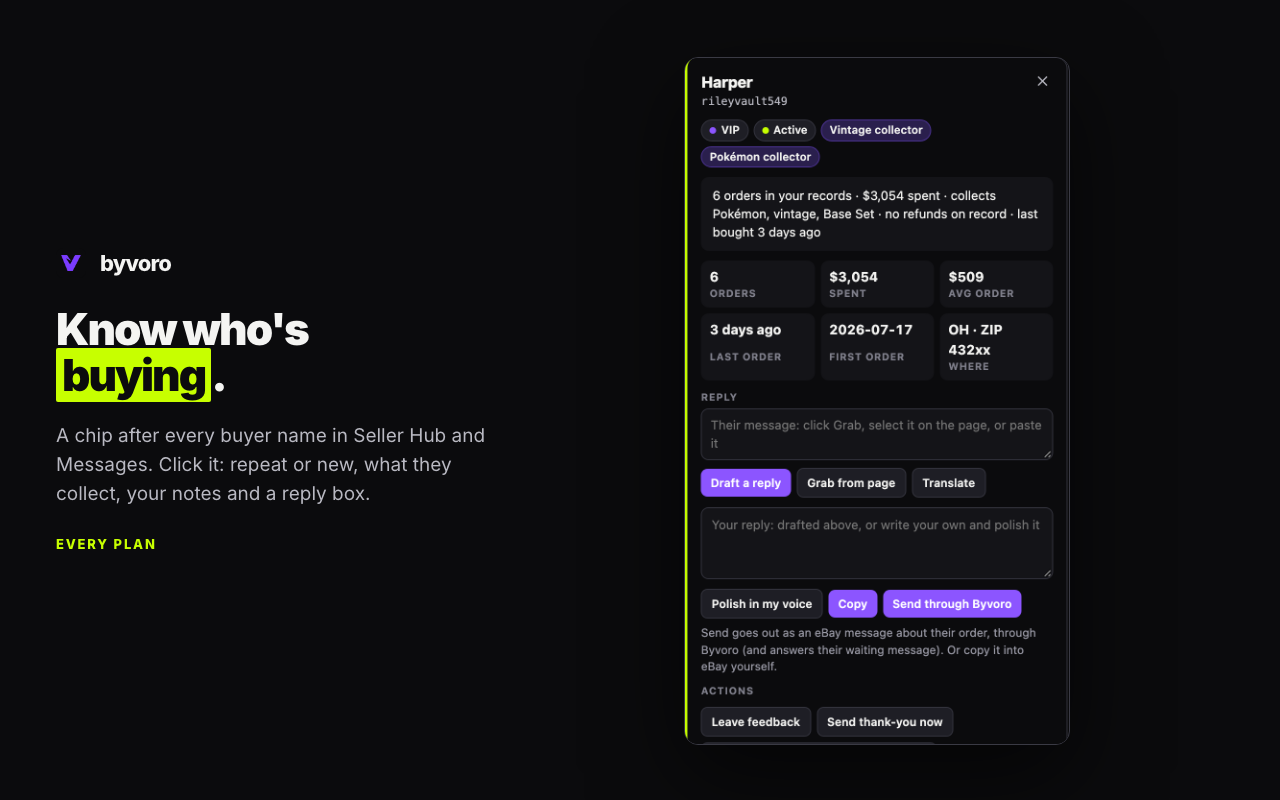
Your buyers, next to their names on eBay. A chip after every buyer username in Seller Hub and Messages, and a card on click: repeat or new, what they collect, what they're hunting for, open orders, pending offers, your notes, and a reply box.
Add to ChromeByvoro for eBay is free in the Chrome Web Store. It works with your Byvoro account on either plan: after installing, create a key under Settings → Browser extension and paste it into the extension.
The extension at work, 1:22: the real extension on a stand-in orders page, with an example shop's made-up buyers.
What it does
- Know (every plan): buyer chips and cards with a next step (what they asked for that's in stock, or listings like what they've bought), your notes, hunt lists and packing tags, packing alerts, who's hunting for the title you're listing, reply drafts to copy, right-click "add to hunt list / note", and a badge counting what needs you.
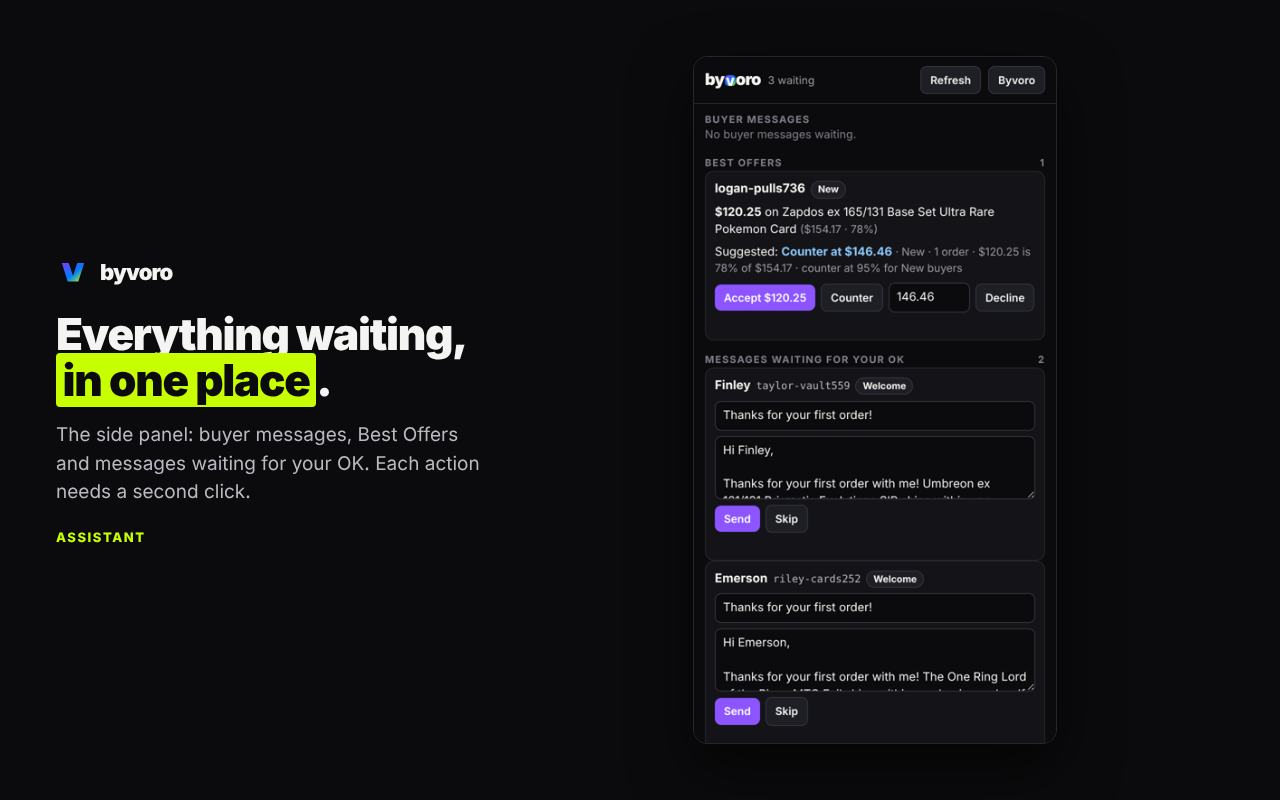
- Assistant: Best Offers with Byvoro's suggestion, translate and polish replies, a side panel with everything waiting for you and an Opportunities tab, desktop notifications, and your listing's renewal and relist status on your own item pages.
- Assistant, with your switch on: answer offers, send replies and leave feedback from the card or side panel. Off until you turn on "Let the extension send and answer" in Settings; every action needs a second click.
- Team members: each person on your team can make their own extension key for your shop. A Shipper's extension marks only the buyers with an order to pack, and shows those orders and their packing tags, never a buyer's history or spend; it stops working the moment they leave the team or you remove them.
What it never does
- It never clicks, fills in or submits anything on eBay's pages.
- It never reads pages other than eBay's, and never runs code from anywhere but the extension itself.
- It never sends page content anywhere but your own Byvoro account, and only when you use a feature that needs it (see below).
Permissions, one by one
| Permission | Why it's needed |
|---|---|
Read and change your data on eBay sitescontent script on ebay.com, .ca, .co.uk, .com.au, .de | To find buyer usernames on the page and draw the chip and card next to them. "Change" is Chrome's word for drawing on the page; the extension never clicks, types into or submits eBay's forms. |
byvoro.com | To read your own buyer profiles, offers and queue from your Byvoro account, and to save notes and send the actions you choose. |
storage, unlimitedStorage | Keeps your buyer profiles in the browser so chips appear instantly. A shop with years of orders needs more than Chrome's default space. |
alarms | Refreshes your buyers every hour and the to-do counts every ten minutes. |
contextMenus | The right-click "Add to hunt list" and "Save as note" on text you select. |
notifications | Desktop alerts for a new Best Offer, a buyer message waiting too long, or messages waiting for your OK (Assistant; each can be turned off). |
sidePanel | The side panel with buyer messages, offers and queued messages (Assistant). |
scripting | Runs Byvoro on CardUploader's Orders page, only if you switch it on in the extension's settings. |
carduploader.comasked for only when you switch it on | To show a Byvoro panel beside each eBay order on CardUploader's Orders page: the buyer's order number with you, their other orders waiting, the postage they paid, past problems, packing tags, the thank-you note to copy, and buttons to print the slip or note in Byvoro or, if you allow sending, to send the note or your shipped message to the buyer through Byvoro. It reads the order numbers on the page, never clicks or types there, and sends nothing to CardUploader. Switch it off and the access is given back. |
What leaves your browser
Only to your Byvoro account, and only when you use the feature: a note, want or tag you save; the buyer message you grab to draft, translate or polish a reply; the listing title you're typing, to show who's hunting for it; the item number of your own item page; and the actions you take with the switch on. Nothing is sent to anyone else. The privacy policy has the details, and this page explains how Byvoro stays inside eBay's rules.